The Unannounced Migration: What Happens When Your Host Swaps Hardware Without Telling You
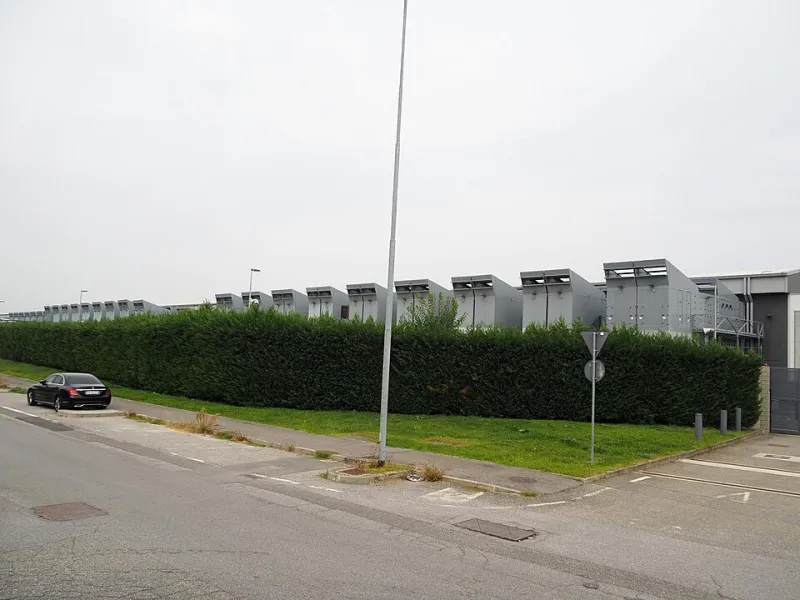
Photo: Lapalmauz, CC BY-SA 4.0, via Wikimedia Commons
The Migration You Never Approved
Most developers assume their virtual machine is a fixed quantity: same CPU family, same storage class, same network path, indefinitely. In reality, cloud and managed hosting providers routinely re-platform tenants onto newer hardware generations. Sometimes this is a gift — a free jump from one CPU generation to the next can shave double-digit percentages off compute-bound workloads. Other times it is a liability: a workload tuned for a specific NUMA topology, kernel version, or storage latency profile can regress overnight.
The problem is not the migration itself. Providers refresh hardware for legitimate reasons — end-of-life components, energy efficiency, capacity planning. The problem is the silence. For a US business subject to SLA commitments, compliance reviews, or simply quarterly performance targets, an unannounced change to the substrate under your application is a governance gap, not a footnote.
Why Hardware Drift Matters More Than You Think
Hardware drift refers to the gradual — or sudden — change in the underlying physical infrastructure your instances run on. It manifests in several ways:
- CPU generation shifts. A move from one processor family to another changes instruction set support, cache hierarchy, and single-thread performance. Workloads compiled with specific CPU flags may run slower or, worse, fail to start.
- Storage re-platforming. A migration from one SSD generation to another, or from local NVMe to network-attached storage, can triple write latency while the provider's dashboard still reads "healthy."
- Noisy neighbor reshuffling. New host hardware means new tenancy ratios. Your p99 latency may spike not because your code changed, but because your co-tenants did.
- Firmware and hypervisor changes. Security mitigations for vulnerabilities like speculative execution flaws carry measurable performance costs, and they often arrive bundled with hardware refreshes.
None of these show up in a status page. All of them show up in your graphs.
Detecting the Drift: A Practical Detection Routine
You cannot hold a provider accountable for changes you cannot see, so the first step is instrumentation. A minimal hardware-drift detection kit includes three components.
First, a continuous micro-benchmark. Run a lightweight, deterministic benchmark on a schedule — CPU integer and floating-point operations, memory bandwidth, and disk I/O at a fixed block size. Tools as simple as sysbench, fio, and a tight benchmarking script can run in seconds and cost almost nothing. Store the results with timestamps. When the baseline shifts by more than a few percent, you have evidence.
Second, a hardware fingerprint. Periodically log lscpu, dmidecode output where available, kernel version, and storage device identifiers. Many providers expose the CPU model directly to the guest. If your instance quietly moves from one CPU family to another, this log will catch it on the next scheduled run.
Third, alerting on relative change, not absolute thresholds. A 15% drop in disk throughput might be normal Tuesday variance or the signature of a storage re-platform. Alerting on rolling baseline deviations — say, three standard deviations from a 30-day window — separates signal from noise far better than static thresholds.
Benchmarking Before and After: Doing It Honestly
Once you suspect a change, resist the urge to run a single benchmark and declare victory or defeat. Rigorous comparison requires discipline:
- Control the variables. Run identical benchmark suites, at identical times of day, against identical data volumes. US business hours introduce load patterns; benchmark off-peak if your goal is hardware comparison, not user experience.
- Run long enough to capture variance. A five-minute run tells you almost nothing about p99 behavior. Aim for at least an hour, ideally across multiple days.
- Test your actual workload, not just synthetic metrics. A CPU benchmark may improve after a migration while your database's tail latency degrades. Synthetic numbers are a screening tool; your real application under representative load is the verdict.
- Document everything. Timestamps, instance identifiers, benchmark versions, and raw results. If you eventually need to escalate to the provider — or renegotiate a contract — a clean evidence trail is worth more than a strong opinion.
Holding Providers Accountable
After you have the data, the conversation changes character. Instead of "the site feels slow," you can say: "Between March 4 and March 6, our instances moved to a different CPU model, and our p95 request latency increased 22% under identical load. Please confirm the migration and share the rollback or remediation path."
That framing matters. Reputable providers take documented, reproducible regressions seriously, particularly from customers who can point to specific instance IDs and benchmark data. When evaluating providers, ask direct questions during the sales process: Will we be notified of hardware generation changes? Is there an opt-in or maintenance window for migrations? Can we pin to specific hardware generations where compliance requires it? The answers — or the evasions — tell you a great deal about how that provider treats infrastructure change.
Some enterprises go further, writing hardware-change notification into contracts or SLAs. Smaller teams may not have that leverage, but a well-instrumented workload levels the playing field considerably.
Turn Silence Into Signal
You will probably never stop your provider from refreshing hardware, and you should not want to — those refreshes are where much of the industry's year-over-year performance gains come from. The goal is not to freeze infrastructure in place. The goal is to know, with data, when the ground shifts under your application, and to respond deliberately rather than discover the change in a customer complaint.
Instrument the substrate. Baseline your performance. Log your hardware. Then the next silent migration becomes what it should have been all along: a change you saw coming, measured, and managed.